

You need a Window & Door Schedule on your floor plan to list what windows and doors you have in your house design.
Revit can do this fairly easy. From the RIBBON MENU and pick ANALYZE, go to REPORTS & SCHEDULES and pick SCHEDULE/QUANTITIES, and pick DOORS (and later: WINDOWS)
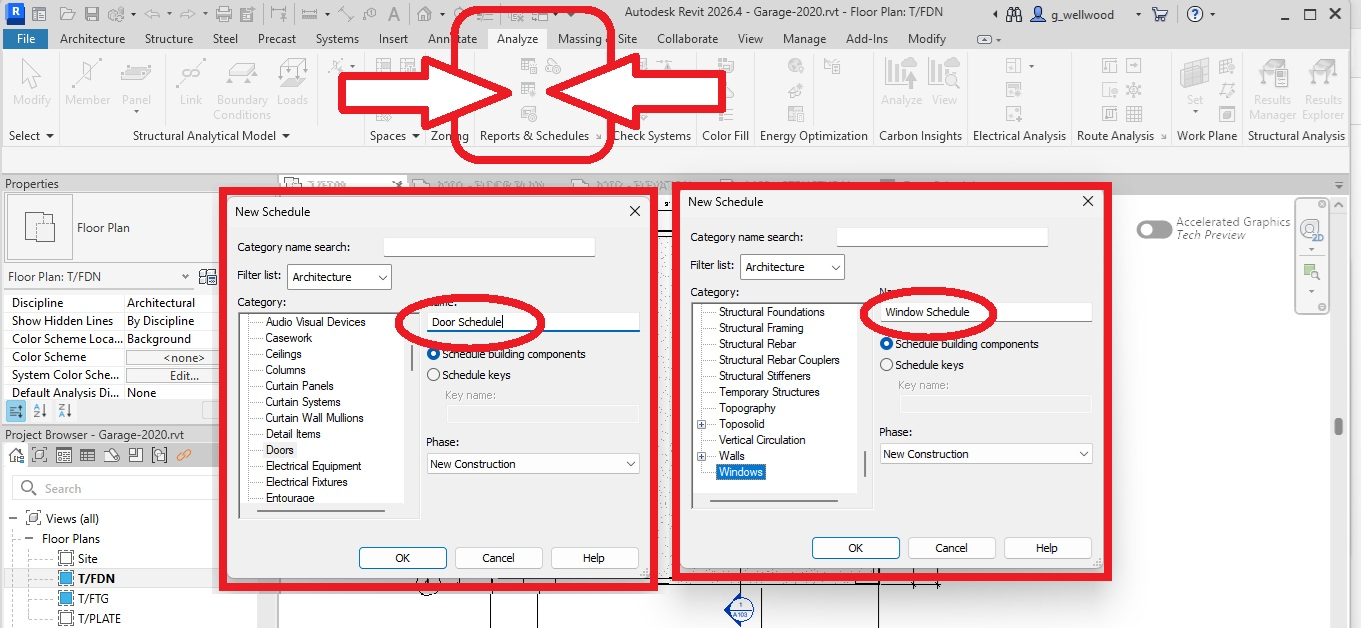
Once you pick DOORS (or WINDOWS), select the following FIELDS:
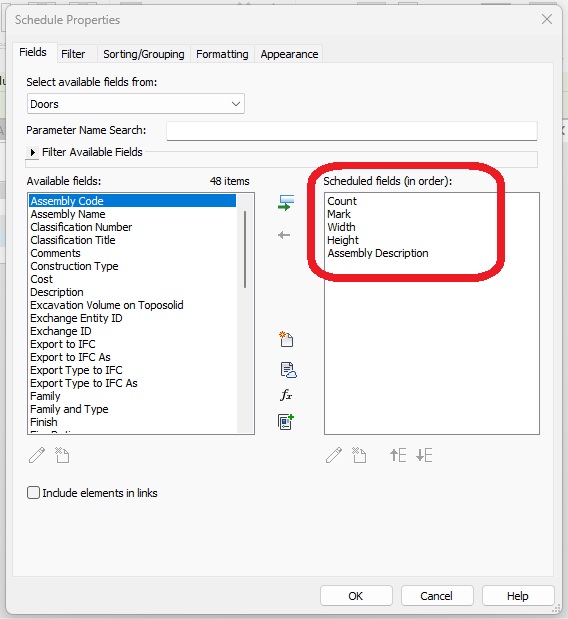
In the GARAGE TUTORIAL I told you to make sure every SAME door has the SAME mark. This will really annoy YOU now (not me), if you didn’t. I might be chortling to myself nearby.
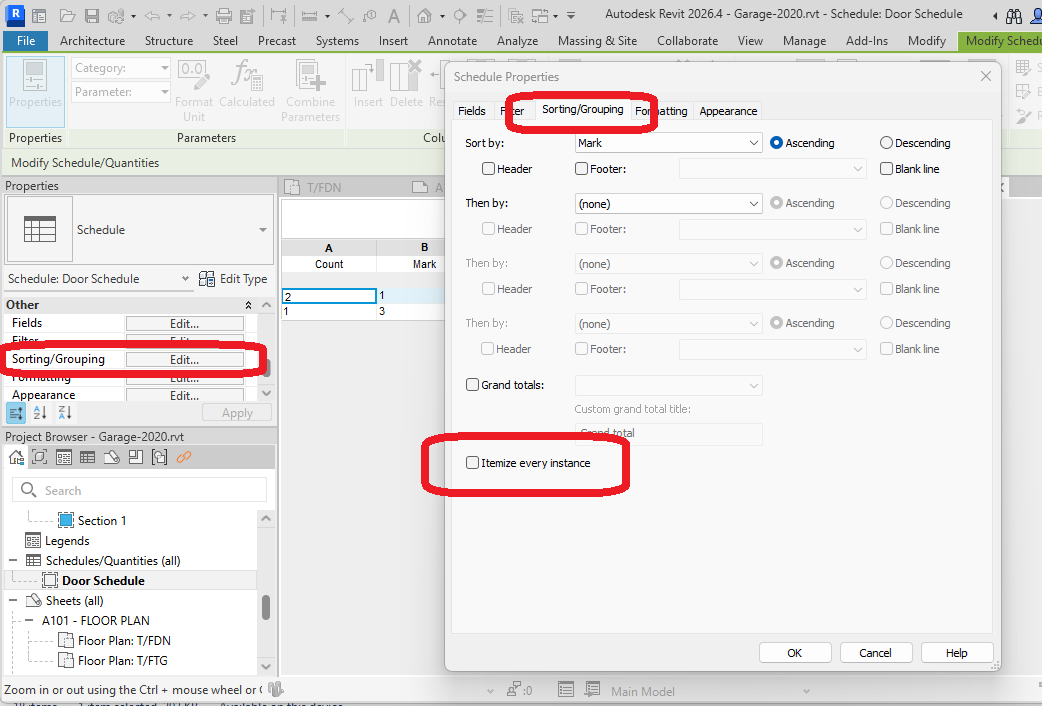
At the top of that window, pick SORTING/GROUPING, and make sure you UNCHECK “ITEMIZE EVERY INSTANCE”
You now have a SCHEDULE that you can DRAG AND DROP onto the Floor Plan SHEET
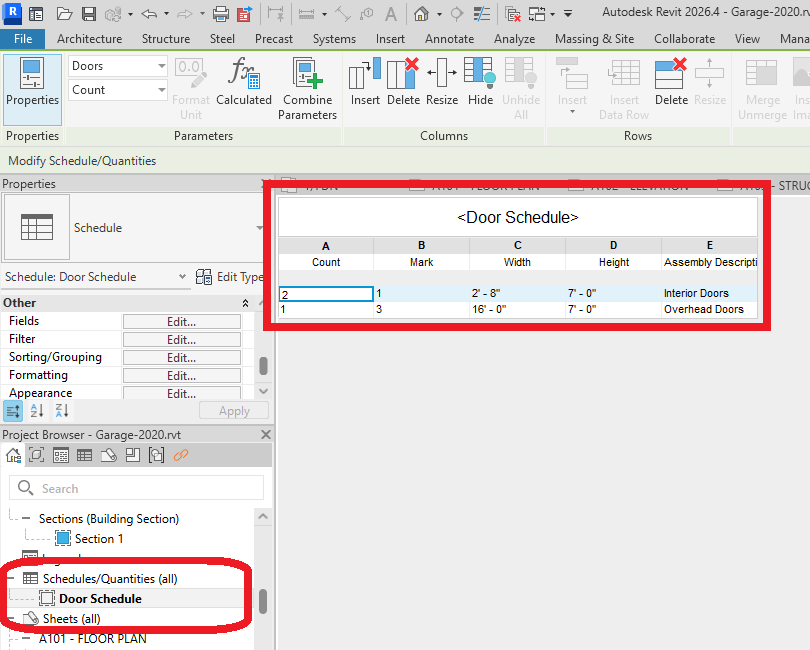
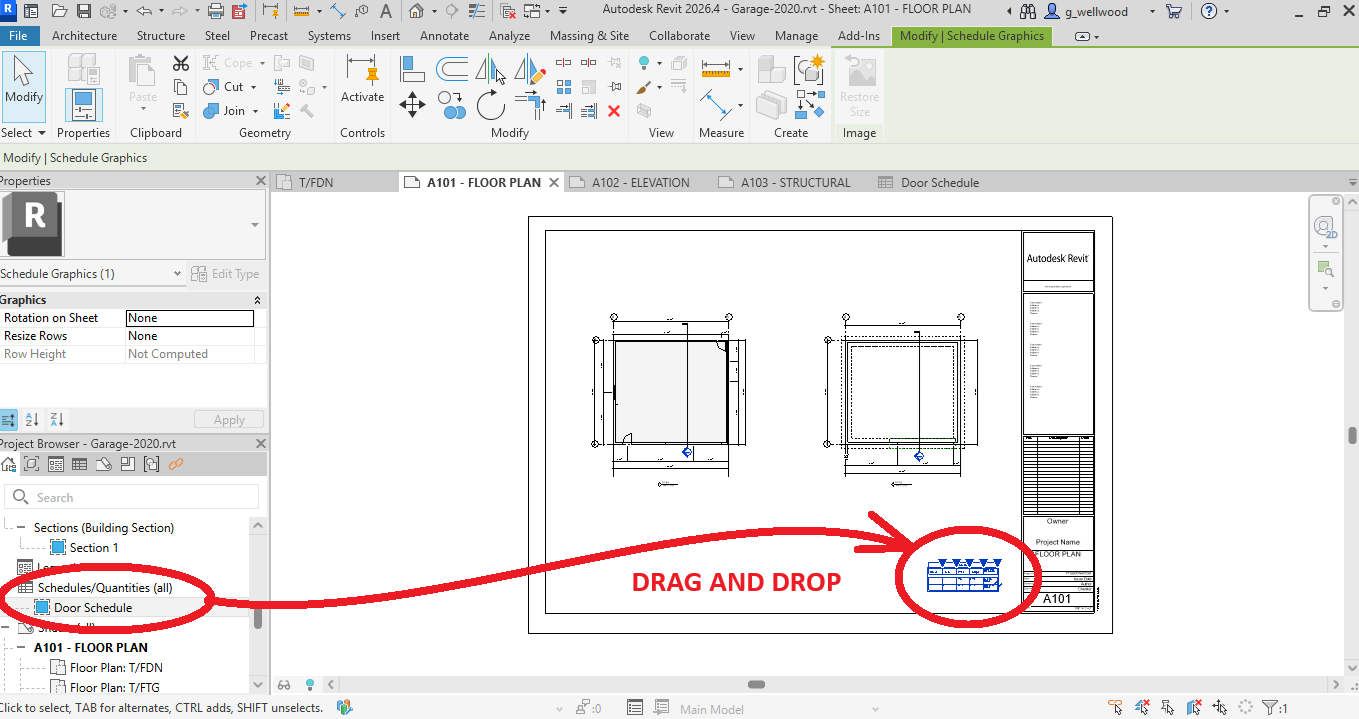
Now do the same for your WINDOWS.